

Bureau-Ready: How MMC Processes Payroll for Hundreds of Clients with BrightPay
Discover how MMC processes payroll for hundreds of clients with BrightPay, Bright's cloud payroll software.
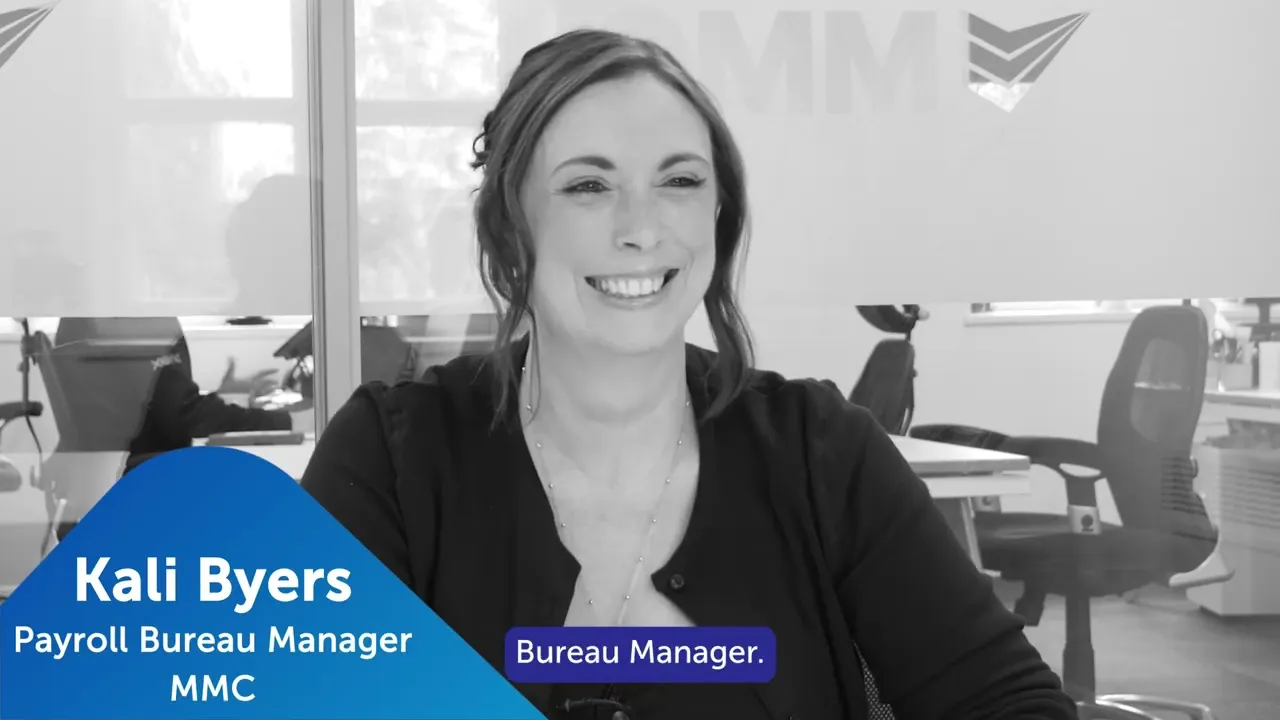
In this case study, we sat down and chatted with Kali Byers from MMC to learn how they process payroll for hundreds of clients with BrightPay.
MMC is a payroll bureau providing payroll services to a wide range of businesses. From accountancy practices and legal firms through to caravan sites, hotels, and farm shops. Payroll runs range from single-director companies all the way up to 100 to 150 employees on a single payroll.
Kali Byers is MMC’s Payroll Bureau Manager, overseeing a team of four who each manage their own portfolio of client accounts. For a team of that size handling that breadth of clients, the software they use is the foundation of everything they do.
The Features That Make the Difference
Payroll entry requests
The payroll entry request feature is, in Kali’s words, the best one for the bureau. Rather than chasing clients for hours data, MMC can send a request directly through BrightPay for clients to upload their own information. The team then reviews it, adds any statutory leave, and sends an approval back. It removes a significant amount of back-and-forth from every pay run.
Statutory calculations
Statutory sick pay, holiday pay calculations and student loan deductions are all handled within the system in a way the team finds genuinely easy to follow and, critically, that clients can understand on their payslips. Removing the manual calculation burden from the team frees them to focus on the work that actually requires judgement.
API pension integrations
MMC manages pension contributions for many of its clients, and the API integrations BrightPay supports have made this seamless. The bureau is integrated with Nest, People’s Pension, and most recently, Modulr, for faster bank payments, as well as using bank payment files with Cresco. Pension uploads go straight into the provider portals without manual intervention. For a bureau processing multiple payrolls across the week, that kind of automation compounds quickly.
The client portal
Client feedback on the portal has been consistently positive. Clients can log in to view payslips, reports, and HMRC payment obligations. The ability for clients to obtain this information themselves reduces the volume of queries landing with the MMC team. For clients who were already on BrightPay Connect, the cloud portal felt immediately familiar, which helped smooth the transition from BrightPay Desktop.
From Desktop to Cloud: A Transition Done Right
MMC has used BrightPay for many years, starting on the desktop version. When the time came to migrate to the cloud, Kali was candid about the initial reaction within the team: change is rarely welcomed when a process is already working well, and a bureau with a full client base has little appetite for disruption.
“There was a little bit of frustration when we realised we had to move. Some people don’t like change. However, once we’d started the process and most of the clients had been transferred, everything seemed to be pretty smooth.”
Kali Byers, Payroll Bureau Manager — MMC
In practice, the migration was handled largely by Kali and her team, using BrightPay desktop files to upload directly into the cloud. For clients who had already been using BrightPay Connect, the transition was particularly straightforward. They logged into the cloud portal and found the same familiar features waiting for them. The training overhead was lower than expected, given the similarities between the two versions, and where gaps did arise, the BrightPay support team resolved them quickly.
Why the Cloud Matters for a Bureau
Beyond the feature set, the move to BrightPay Cloud has delivered something more fundamental for MMC: security and flexibility. Kali can log in from her personal laptop at home when needed. The team is not dependent on any single device. And the risk of data loss from a corrupted or failed laptop has been removed.
“Knowing that it’s in the cloud makes it a little bit more secure for us. The desktop could potentially go corrupt. Everything being saved to the cloud just gives us that peace of mind.”
Kali Byers, Payroll Bureau Manager — MMC
The Impact: Streamlined, Slick, and Scalable
Kali has used other payroll processing platforms before and is clear on her view of BrightPay:
“I don’t think there is anything that is or can beat the way that BrightPay works for us. It saves us an extreme amount of time each pay run.”
Kali Byers, Payroll Bureau Manager — MMC
The tangible results for MMC include:
Significant time saved on every pay run — across a bureau processing multiple clients each week, this accumulates to a material reduction in administrative burden.
A smooth desktop-to-cloud migration — handled by the team with minimal disruption to clients or operations.
Seamless pension processing — API integrations with Nest, People’s Pension, and Modulr remove manual upload steps entirely.
Secure, remote-access payroll — the team can work from anywhere without compromising on data security.
Better-informed clients — the portal gives clients direct access to payslips, reports, and HMRC obligations, reducing inbound queries.
A team that is genuinely engaged — the webinar programme has given all four administrators a route into product development and ongoing learning.
Ready to Streamline Your Bureau’s Payroll?
BrightPay Cloud gives payroll bureaus the tools to process payroll efficiently, keep clients informed, and manage pensions seamlessly — all from a secure, cloud-based platform built for the demands of bureau work.
“Our payroll processes are streamlined now, they’re slick. The software that BrightPay provides is one of the best that we’ve ever used before.”
Kali Byers, Payroll Bureau Manager — MMC
Talk to our team
See how Bright can help your practice.




