
How BrightManager and BrightAccountsProduction work together
Create a more structured and organised accounts production process
Integrating the two systems
BrightAccounts
Create an accounts production workflow
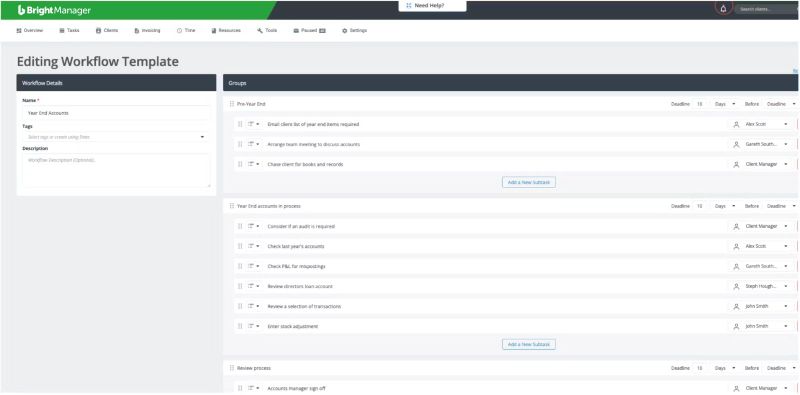
In BrightManager, you can create a new workflow within each task, which breaks down it down into smaller and more manageable subtasks. These workflows can be saved as templates for future use too. For example, a year-end workflow could include:
Email client of year end items required
Chase clients for books and records
Check last year’s accounts
Check P&L for mispostings
Accounts manager sign off
Track your team’s progress
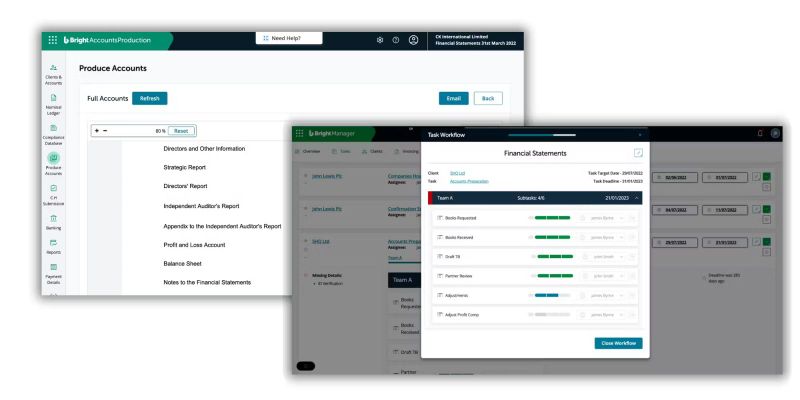
You can access the task list in BrightManager to see all the tasks across your firm. Each task shows the client it relates to, who’s responsible, the filing/internal deadline, and the progress. You can also add progress notes for anything specific.
When a subtask is completed, the person assigned to the next subtask is notified. As tasks are completed in BrightAccounts
Automate your record requests
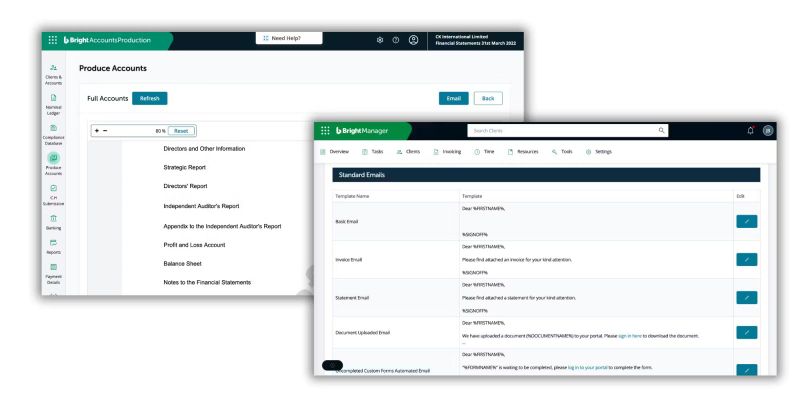
Create email templates for each service (just once) and BrightManager will send these at the right time, to the right clients. So, when a client’s period end date is reached, an automatic record request can be sent, and later, a tax payment reminder.
Ensure your invoices are correct
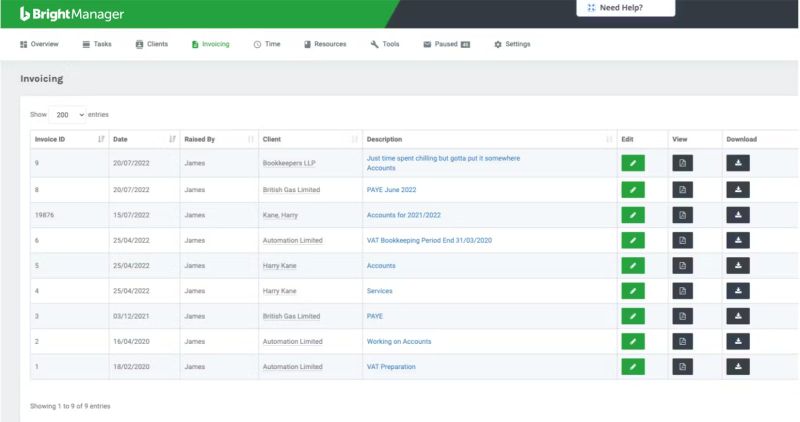
Log the time and resources your team spend on each task in BrightManager. The total costs can then be pulled directly into your invoices, which can be then sent directly to your clients. Clients can also create their own invoices in our bookkeeping software, BrightBooks – just give them access and away they go.
Talk to our team
See how Bright can help your practice.